¶ Connecting a Hotend with a Built-in Strain Gauge
BDPressure can be used with a compatible hotend that already contains a four-wire strain gauge. In this configuration, remove the original BDPressure strain gauge and connect the hotend’s strain-gauge wires directly to the PCB.
Warning
Disconnect the printer from power before disassembly or soldering. Incorrect wiring, bridged solder pads, or an incompatible sensor may damage the PCB or cause unreliable nozzle probing.
¶ 1.
- Quickly desolder the strain gauge to avoid overheating.
- Remove the two small screws.
- Carefully remove the sensor.
- Solder the ALPS Sensor
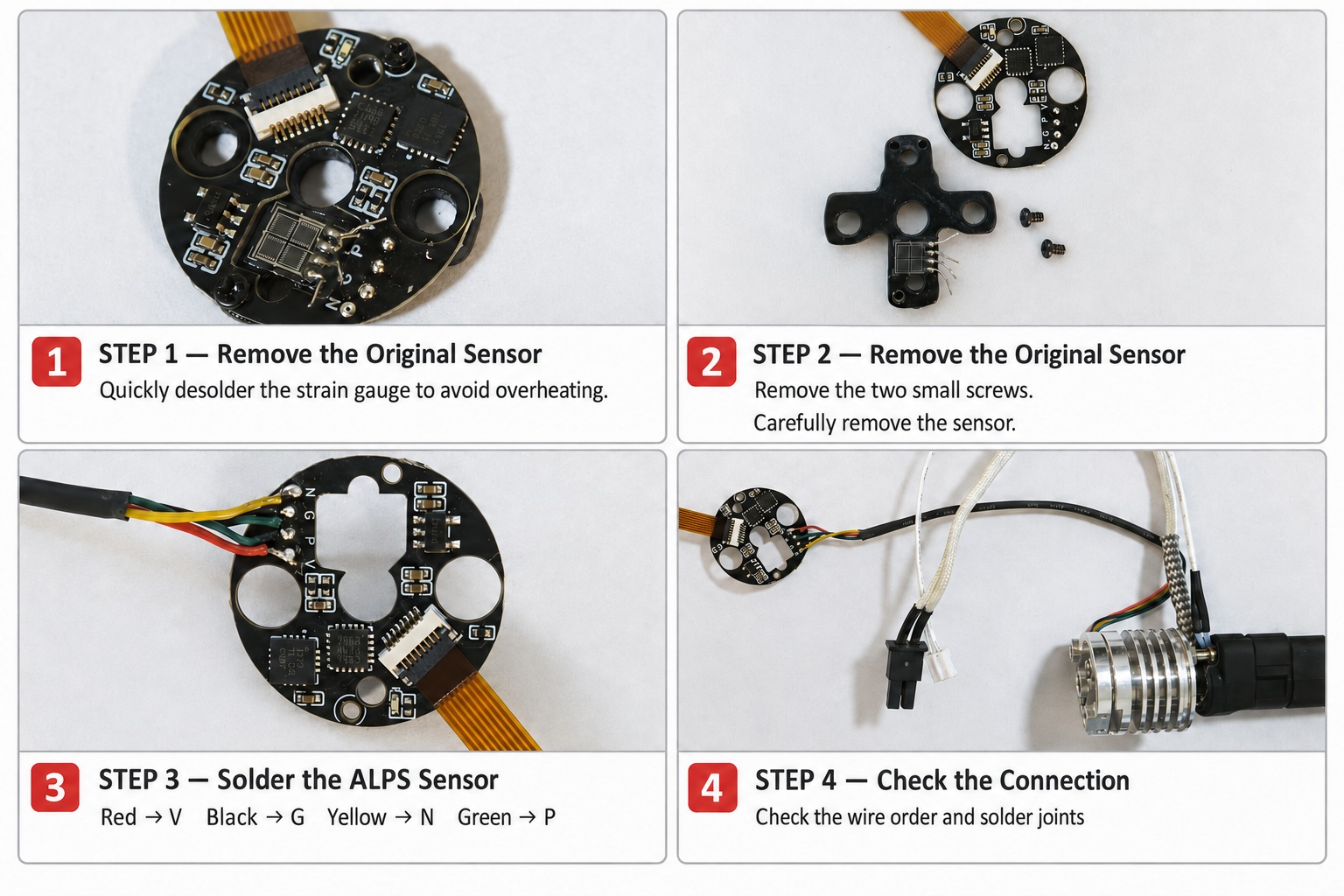
Cut off the ALPS cable connector and solder the four wires to BDPressure:
| Wire color | BDPressure pad |
|---|---|
| Red | V |
| Black | G |
| Yellow | N |
| Green | P |
Check the wire order and solder joints before connecting USB.
¶ 2. Install and Test on Windows
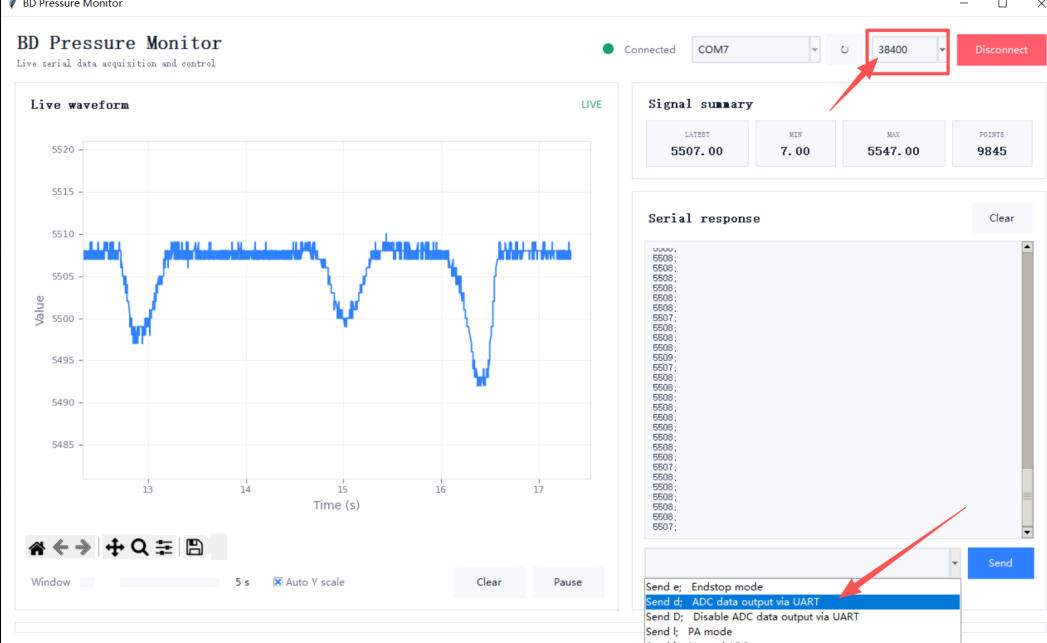
Download the tool BDPressureMonitor from https://github.com/markniu/bd_pressure/tree/main/tool
Connect the sensor to the PC with USB port.
Gently press the nozzle against the bed. The sensor reading should increase above its normal value.
If no COM port appears in Device Manager, install the appropriate USB serial driver, such as CH340.
¶ 3. Troubleshooting
- If the reading does not change, check the wire order and solder joints.
- If the reading changes in the opposite direction, correct the wire order or change
invert_adcin the configuration file.